
Moving or shipping a label printer: how to pack it without transport damage
Moving your printer or sending it for service? Steps for the NeuraLabel Callisto: Service Sled in, ink out, lift with two people. Ask us for advice.
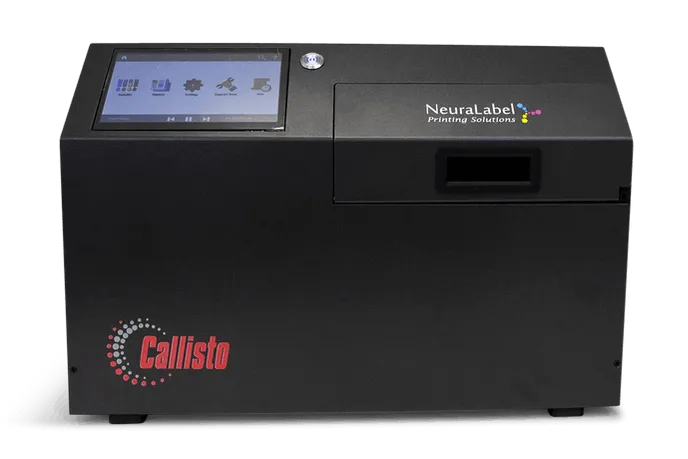
You do not move a label printer very often. That is exactly why it goes wrong when you do: the printer moves to another production hall, or it has to be shipped for a repair, and nobody remembers how the box went together. Moving or shipping a label printer is not a matter of putting a box over it, certainly not with a NeuraLabel Callisto and its fixed printhead. One mistake, and you lose not only a printhead but also the warranty on it.
Why this matters
In chemicals and pharma, a printer rarely stands idle without good reason. If it is out of action for a while, you want to be able to switch it back on afterwards without any surprises. The manufacturer is strict about this: ship the Callisto without the Service Sled, or without the orange protective packaging, and you lose the printhead warranty. That is an expensive mistake for a few minutes of preparation.
Before you start
- Keep the original box, the foam and the plastic cover. They were made for this machine.
- Never lift it on your own. The Callisto weighs about 25 kg (55 lbs). With two people, that is no problem.
- No longer have the materials? Contact the manufacturer (support@NeuraLabel.com) or ask Aladin Code for advice. Do not ship the printer without them.
Step 1: check the Service Sled
Check at the printer’s exit that the Service Sled is installed, so the printhead is protected. This is the step that keeps the printhead warranty intact.
Step 2: switch off and disconnect
- Switch the printer off with the round power button.
- Set the switch on the back to OFF.
- Disconnect the network and power cables.
Step 3: fit the protective materials
- Remove the ink cartridges and fit the orange Ink Cap in the opening to protect the ink system. Never ship the printer with the cartridges installed.
- Fit the two orange Service Sled Caps at the printer’s entrance. They protect the printhead and the service sled.
- Left cap: hold it so it looks like a capital D and slide it along the metal grooves until it clicks into place.
- Right cap: hold it with the arrow pointing left, slide it to the end of the rail, then push it up and to the right until it clicks into place.
Step 4: pack it in the box
- Prepare the bottom box with the lower foam and the plastic bag. Lift the printer into the box with two people.
- Close the bag and place the upper foam over the printer.
- Place the top part of the box over the bottom part and fit the four white handles.
- Secure the parts with extra packing tape.
- Place the box on a pallet for transport.
It is really unpacking a new printer, just in reverse.
Tip: make a note before you pack
If the printer is going in for service, print a Print Quality Report first and note which streaks you see. It saves the technician time searching. You can read more about maintenance and repair and about media running crooked elsewhere on our site.
Shipping checklist
- Service Sled installed and printhead protected
- Orange protective packaging fitted
- Original Callisto box and foam used
- Printer placed on a pallet
Sources: Callisto product details, Labels & Labeling on the Callisto and NeuraLabel (instruction video on repacking).
Does your printer need to move or go in for service, and do you want to be sure everything is right? Ask Aladin Code for advice. A phone call is usually enough.
Frequently asked questions
What happens to the warranty if I forget the Service Sled?
The printhead warranty is void. The same applies if you ship the printer without the protective orange packaging.
Can I leave the ink cartridges in the printer?
No. Remove them and fit the orange Ink Cap in the opening to protect the ink system.
How much does a NeuraLabel Callisto weigh?
About 25 kg (55 lbs). Always lift it with two people, both when packing it and when setting it down.
What are the orange Service Sled Caps for?
They sit at the printer's entrance and protect the printhead and the service sled during transport.
Do I really need the original box?
Yes. The two-part box, the foam, the plastic bag and the four white handles are part of the manufacturer's shipping procedure. If anything is missing, get in touch first.